Control your Tesla Powerwall with Alexa
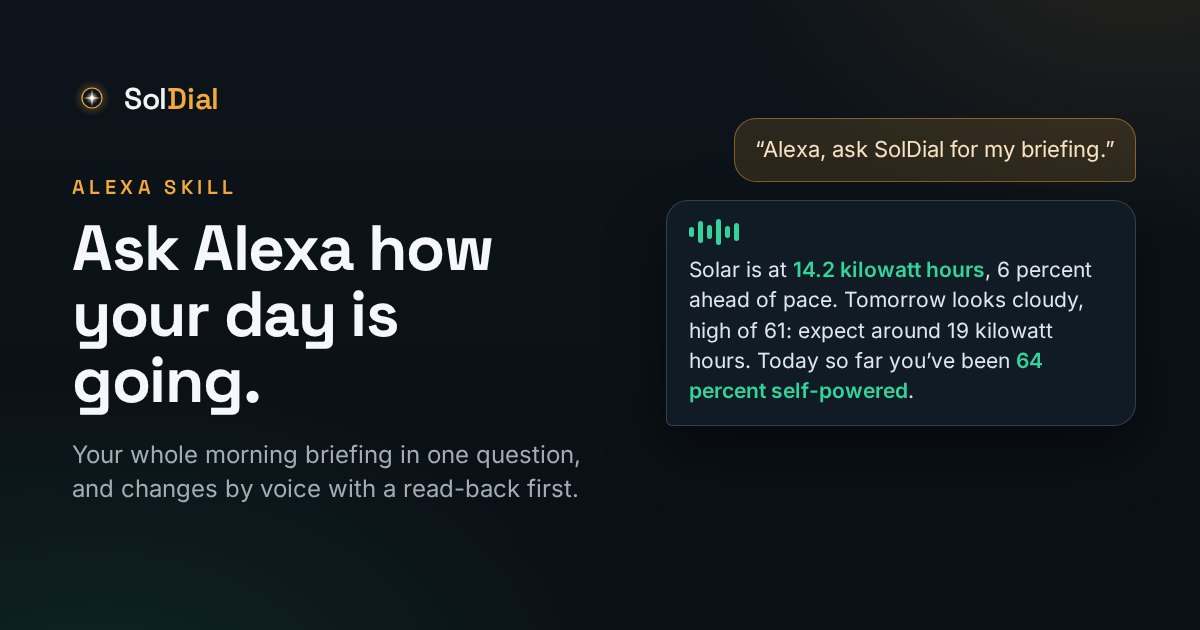
SolDial for Powerwall is on Alexa. Ask for your morning briefing and get the whole picture in one go — or ask about any one thing. Here's what you can ask, what you can change, and why every change gets read back before it happens.
Update, September 25: the skill is live in the US Alexa Skills Store, and the briefing now closes each period with your self-powered percentage and speaks money as dollars and cents. The real example below is from this morning. Other countries follow as Amazon approves them; searching for SolDial in the Alexa app is the quickest way to check.
Ask a question, get a number. Say a setting, get a read-back and a yes/no. That's the whole idea: your Powerwall answers to your voice, and it never changes anything without hearing you confirm it first.
Your whole morning in one question
Most mornings you don't want ten answers, you want one. Say:
“Alexa, ask soul dial for my briefing.”
and SolDial runs through your day in the order you can act on it:
- Anything wrong, first. Your system hasn't reported since 2 AM. SolDial has lost its connection to your Tesla account. Storm Watch is active and holding a full charge. An automation didn't complete overnight. On an ordinary morning this part is silent — that's the point.
- Today, and whether it's going well. How much your system has generated so far against what was expected by now, whether that puts you ahead of or behind pace, and where the day is tracking to finish. Then what you've imported and exported, and what it has cost you or credited you so far.
- Today's prices, if you're on Agile or an hourly plan — the cheapest stretch and the priciest one, so you know when to run the dishwasher and when not to.
- Tomorrow. The forecast, and what it means for the panels: “Tomorrow looks cloudy, high of 61 — expect around 19 kilowatt hours, roughly 40 percent below today.”
- Yesterday, and your billing period to date — solar, grid in and out, where the bill stands, and how self-powered you were. Today gets the same closing line: “Today so far you've been 64 percent self-powered.” It's the number from the dashboard's Self-Powered tile, worked out hour by hour.
Anything SolDial can't work out honestly is left out rather than guessed at. No rate plan on file means no dollar figures, not invented ones.
Here's mine from this morning, word for word. It was 8:40, so today's solar had barely started:
“Alexa, ask SolDial for my energy briefing.”
Today your system generated 4.7 kilowatt hours of an expected 68 kilowatt hours, tracking to finish near 66 kilowatt hours. You've imported 13 kilowatt hours and exported 2.3 kilowatt hours, a net import of 11 kilowatt hours, and it's cost you about 3 dollars and 5 cents so far. Today so far you've been 14 percent self-powered.
Tomorrow looks rainy, high of 61, 71 percent chance of rain — expect around 25 kilowatt hours, roughly 61 percent below today.
Yesterday your system generated 62 kilowatt hours, imported 52 kilowatt hours and exported 38 kilowatt hours, a net import of 13 kilowatt hours, costing about 3 dollars and 78 cents. Yesterday you were 26 percent self-powered.
So far this billing period your system has generated 933 kilowatt hours of solar, imported 1,019 kilowatt hours and exported 515 kilowatt hours, a net import of 504 kilowatt hours, and it's cost you about 143 dollars and 49 cents so far. This billing period so far, you've been 27 percent self-powered.
Twenty-six percent self-powered isn't a number I'd put on a poster, and that's rather the point: it's a real house on a real September morning, not a demo. The briefing tells you where you actually stand, and it's the kind of thing you notice trending week to week when you hear it every morning.
You don't have to say “briefing”, either. “My daily review”, “my energy recap”, “my morning report”, “catch me up”, “how are we doing today” — several hundred phrasings all land in the same place.
Prefer it in writing? The same rundown is available as an email each morning — Settings → Notifications → Daily morning briefing, with a time picker. It's off unless you turn it on.
What you can ask about anything else
Ask it the way you'd ask a person — there's no fixed phrasing to learn. A few of the things it answers:
- Powerwall — charge level, whether it's charging or discharging, your backup reserve, and which mode it's in.
- Right now — what solar is making, what the house is drawing, whether you're importing or exporting, and what the battery is doing.
- The grid — is the grid up, am I off-grid, how long will the Powerwall last at what I'm using right now.
- Solar — produced today or over any period, and the forecast for today and tomorrow.
- Savings — what solar and the Powerwall saved you today, this week, last month, this year, this billing period, or all time — and separately what SolDial's own automations have measurably saved.
- Home, grid and self-powered — home usage, net import or export, and your self-powered percentage, any period.
- Price — what you're paying per kilowatt hour right now, whether it's peak or off-peak, and when the next window starts (live prices on Agile and other real-time plans).
- Weather — today's and tomorrow's forecast for your site, and whether Storm Watch is active.
- Automations — how many are running, which ones, what fired last, and whether Autopilot is on.
- Cars — charge level, whether they're charging or plugged in, and their charge limit.
- Everything at once — “my briefing” for the rundown above, any time of day.
What you can change — and why there's always a read-back
Three settings take voice commands: your backup reserve, a car's charge limit, and the Powerwall's operating mode (Self-Powered, Savings, or Backup-Only). Every one of them works the same way:
“Alexa, ask SolDial to set my backup reserve to sixty.”
“That will set your Powerwall backup reserve to 60 percent. Should I go ahead?”
“Yes.”
“Done. I set backup reserve to 60 percent.”
The read-back isn't ceremony. Voice recognition hears “sixteen” for “sixty” more often than you'd like, and a backup reserve is the setting that decides whether your house has power at 9 PM in an outage. So nothing is sent to Tesla until you've heard the number and said yes, and every change you approve lands in your automation History alongside everything else that touched your system that day. Say no, and nothing happens.
Setting it up
- In the Alexa app, search for SolDial and enable the skill.
- Tap Settings → Link Account. On your phone you'll see one button, Open SolDial: tap it, the SolDial app opens on an approval screen where you're already signed in, tap Link My Account, and switch back to Alexa. It finishes on its own. (On a computer, the page asks you to sign in with Tesla first.)
- Say “Alexa, ask SolDial for my energy briefing.” If the very first reply after linking is Amazon's generic “having trouble” line, ask once more; their side is still finishing the link.
Alexa is part of SolDial Pro. Linking from a free account opens the Pro page first; the 7-day trial covers it.
Three tips that make it feel natural
- Say the name as two clear words — sol dial. Run together, Alexa sometimes hears “dial” and reaches for the phone. If she ever offers to call someone, that's what happened.
- Keep talking. After every answer Alexa keeps listening, so you can go battery, then solar, then savings without the wake word each time. Say stop or that's all when you're done, and she says goodbye.
- One breath works too. “Alexa, ask soul dial what's my battery at” or “Alexa, ask soul dial for my briefing” gets an answer without opening the skill first, as long as she catches the name. When she doesn't, “Alexa, open soul dial” and then asking never misses.
What it won't do
It won't build automations, change your rate plan, or touch anything it hasn't read back to you. Those live in the app, where you can see what you're doing. And it doesn't replace Tesla's own controls — it sits beside them, the way the rest of SolDial does.
What's next
Households on Alexa+ will eventually be able to skip the skill name entirely — “Alexa, what's my Powerwall at?” — once Amazon routes those requests by meaning rather than by name. Until that reaches the skill, the name is the handshake.