Your Powerwall, Unfolded: SolDial on iPhone Duo and Android Foldables
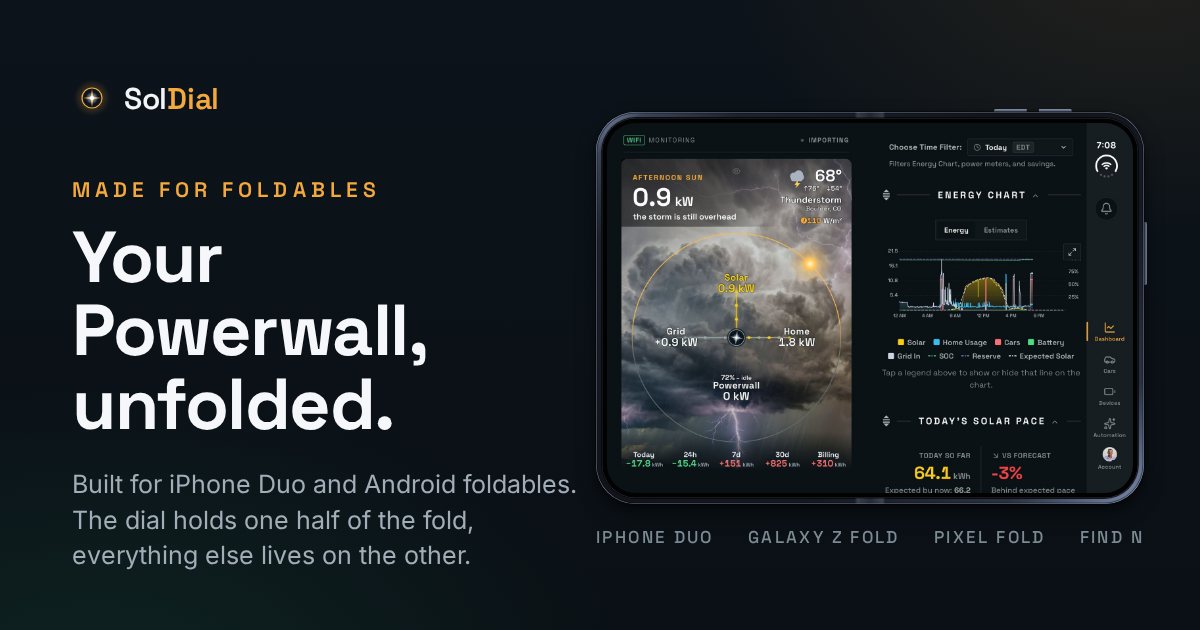
The iPhone Duo went on sale on Friday, October 23. Two days later, SolDial’s Duo build was live on the App Store, and the same day Android foldables got the same treatment on Google Play. Open your phone and your Powerwall gets a screen of its own.
The dial gets its own half
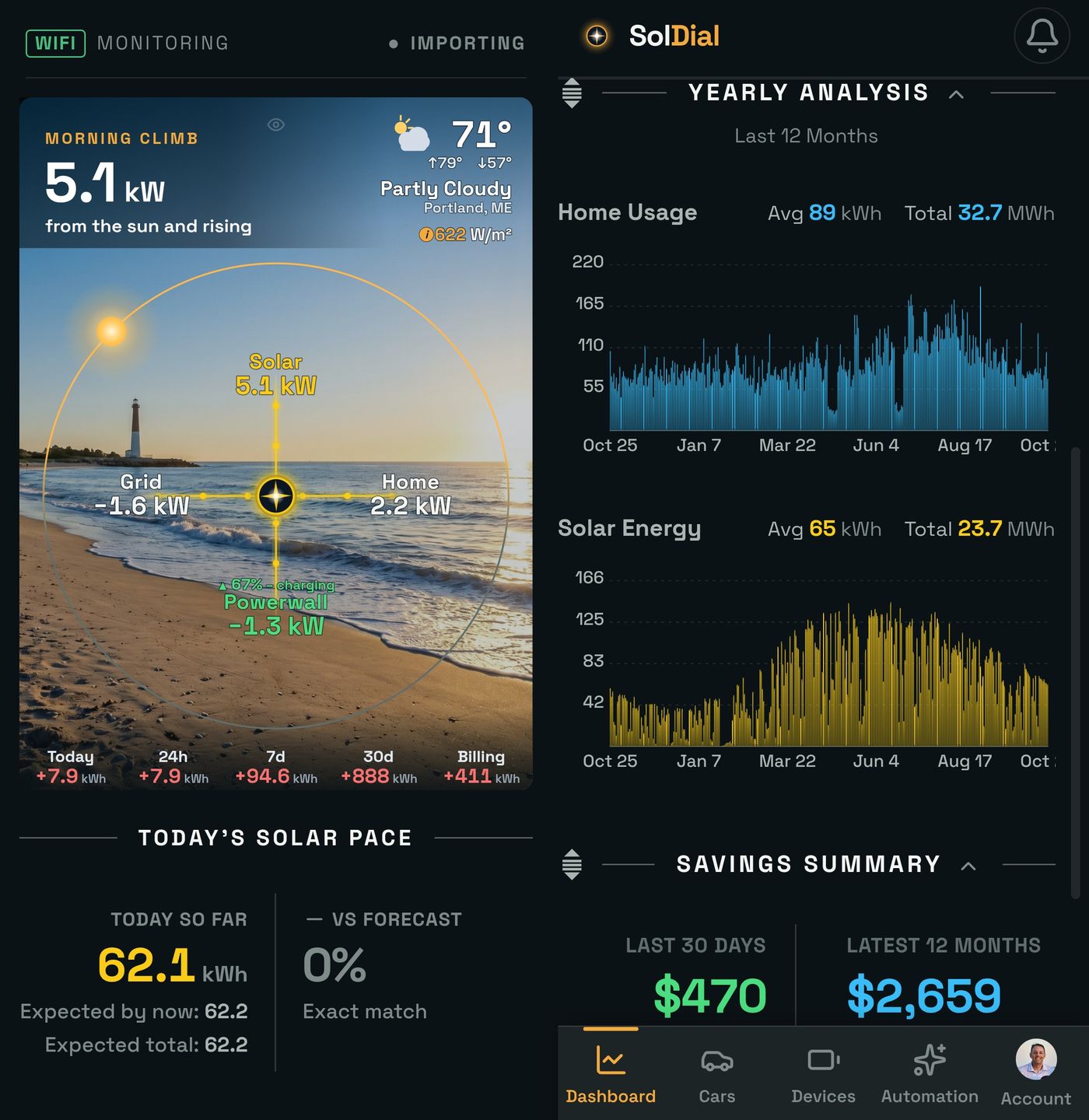
Open the Duo in landscape and SolDial splits the dashboard on the fold. The live power flow dial stays pinned on the left half, under your actual sky, and never scrolls away. Everything else scrolls on the right half: the Energy Chart, Today’s Solar Pace, Self-Powered, Savings and the rest of your sections. The divider sits right on the hinge, so nothing you need to read lands in the crease.
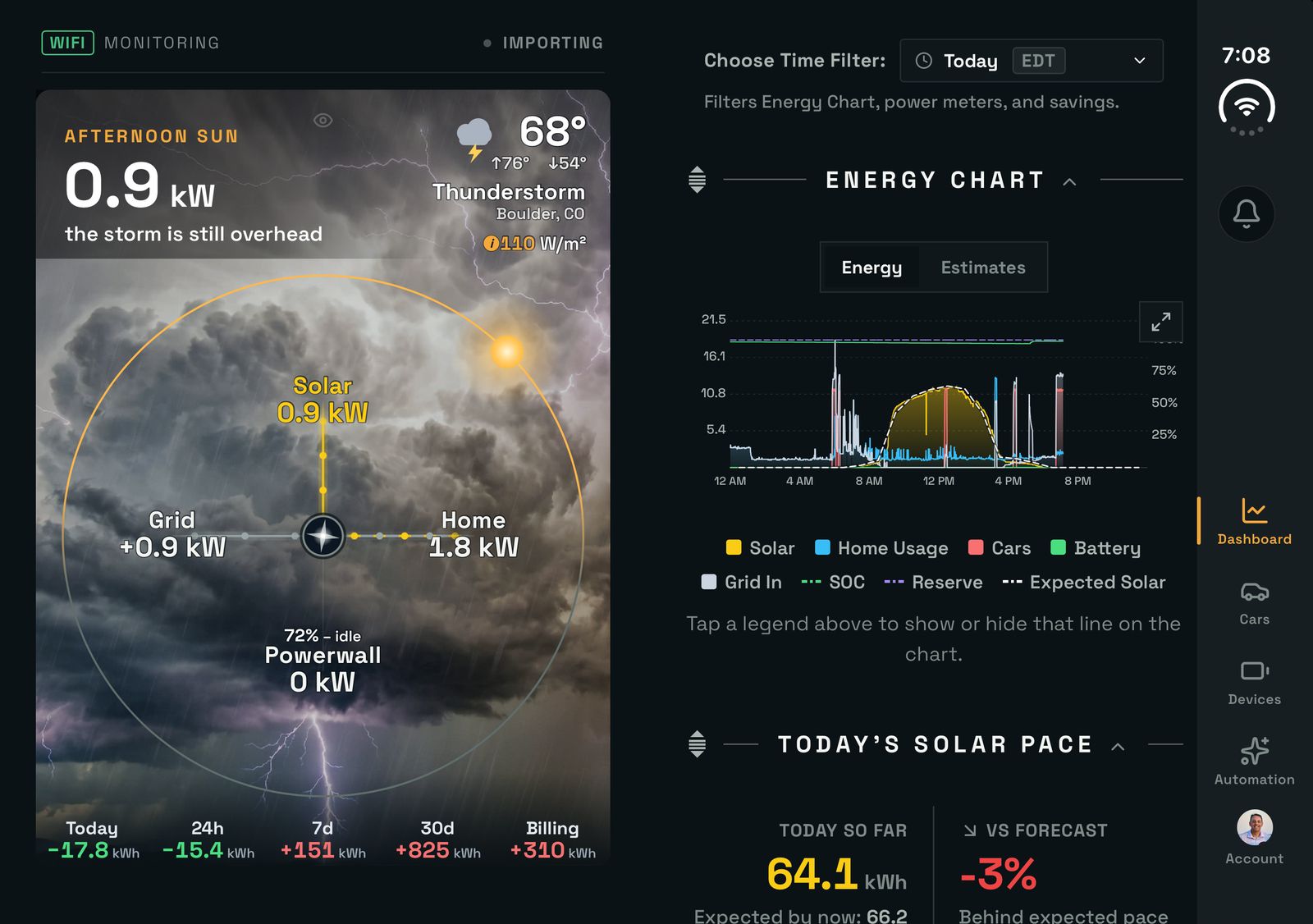
iPhone Duo, open: the dial on the left half, the Energy Chart and Solar Pace on the right.
It isn’t only the dashboard. Switch to Cars, Devices or Automation and the dial stays where it is, so you can start a charge, check a Wall Connector or edit a rule while you watch the power move.
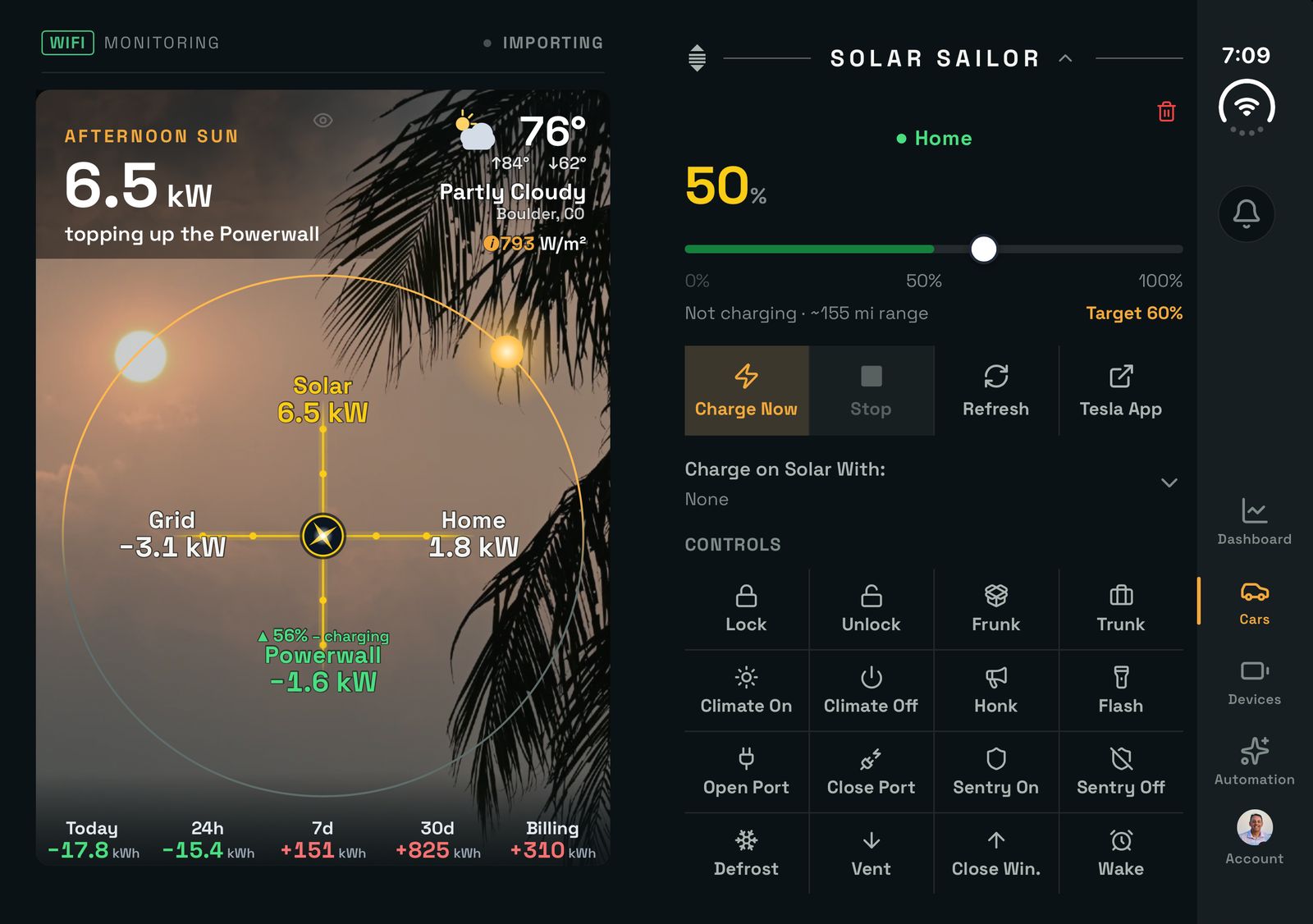
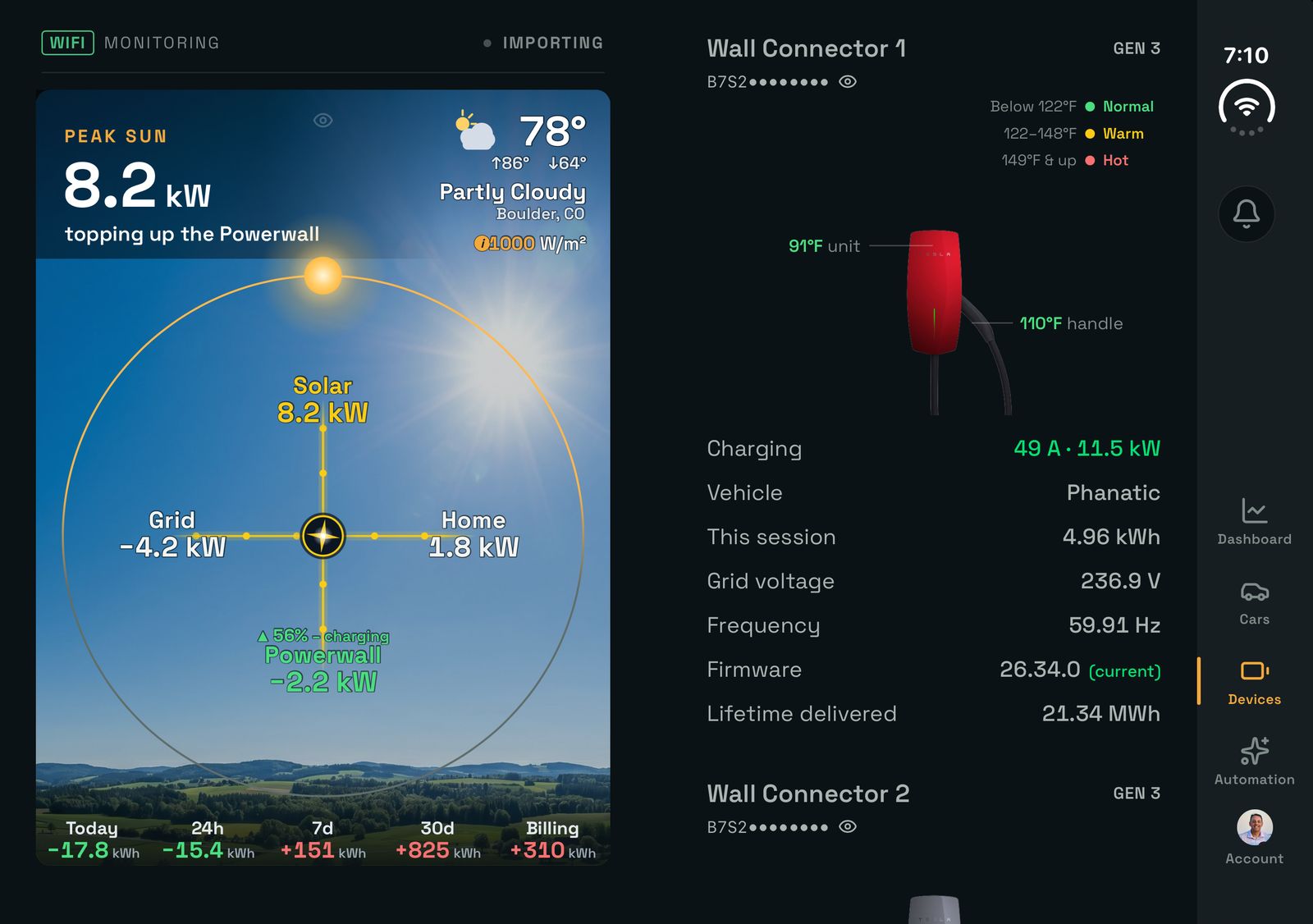
Cars and Devices, with the live dial still on the left.
Closed, it’s made for the cover screen too
Folded shut, the Duo keeps iOS’s own controls along one edge of the cover screen. SolDial puts its tabs, the notification bell and your account in a bar along that same edge, with the tabs at the bottom where your thumb already is, so the dial and your sections get the rest of the screen.
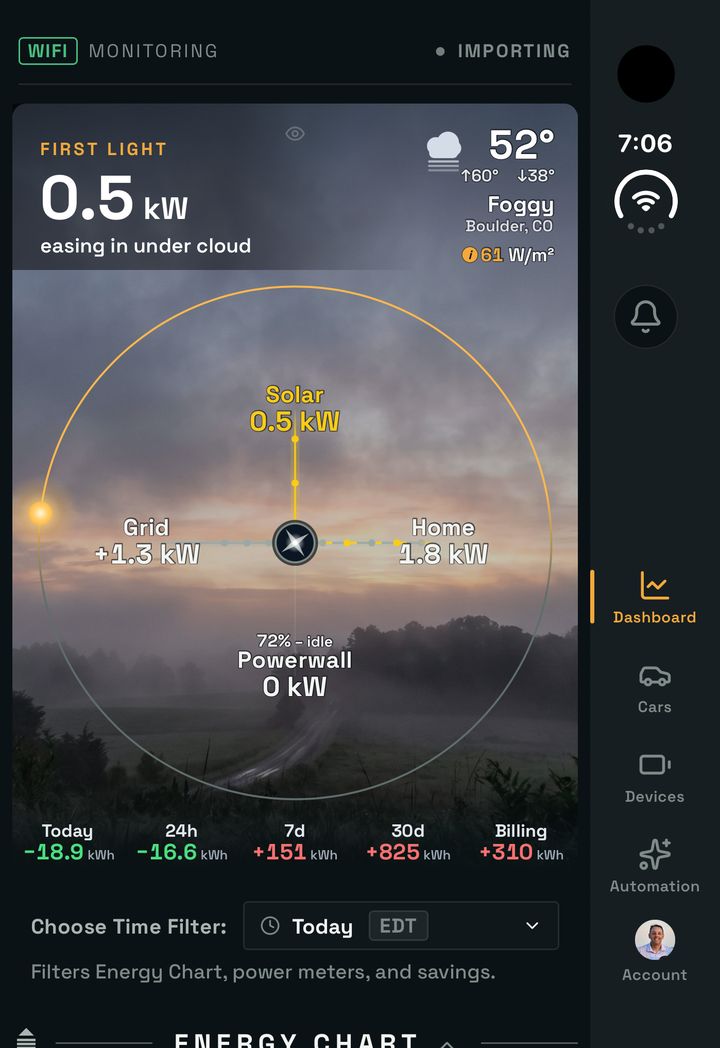
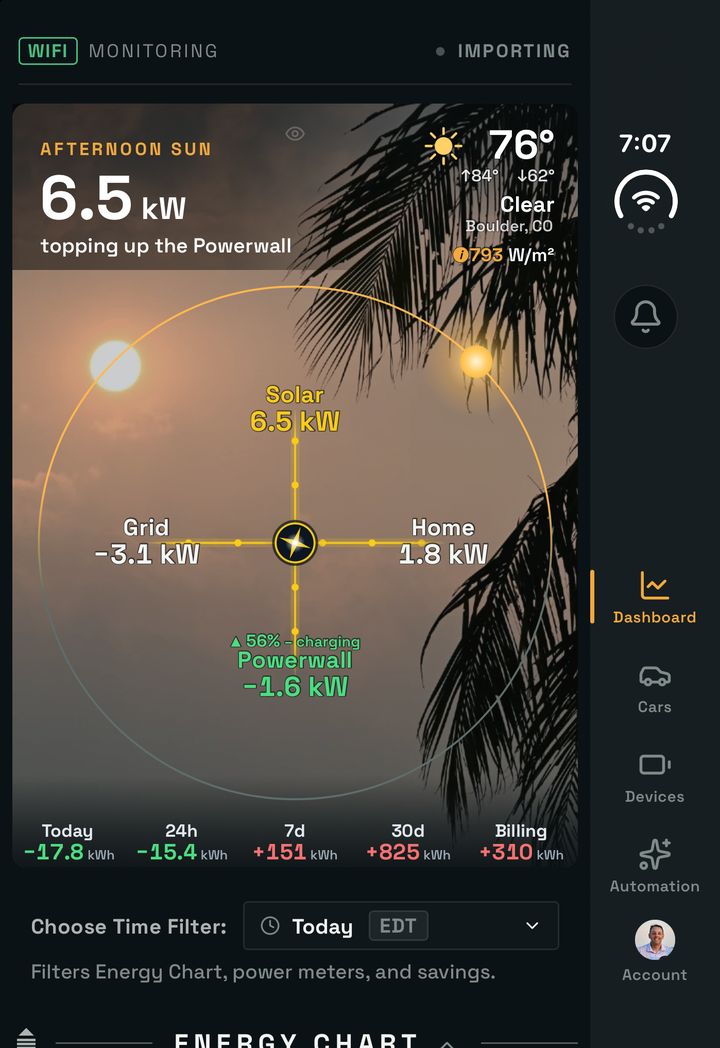
The cover screen at first light and in the afternoon.
Open and upright
Hold the open Duo upright and you get one wide column with the side bar, and iOS’s status bar steps out of the way so the dial gets the whole top of the screen. If you would rather have the tabs along the bottom, Settings → Display → Open Screen Navigation → Bottom puts them there.
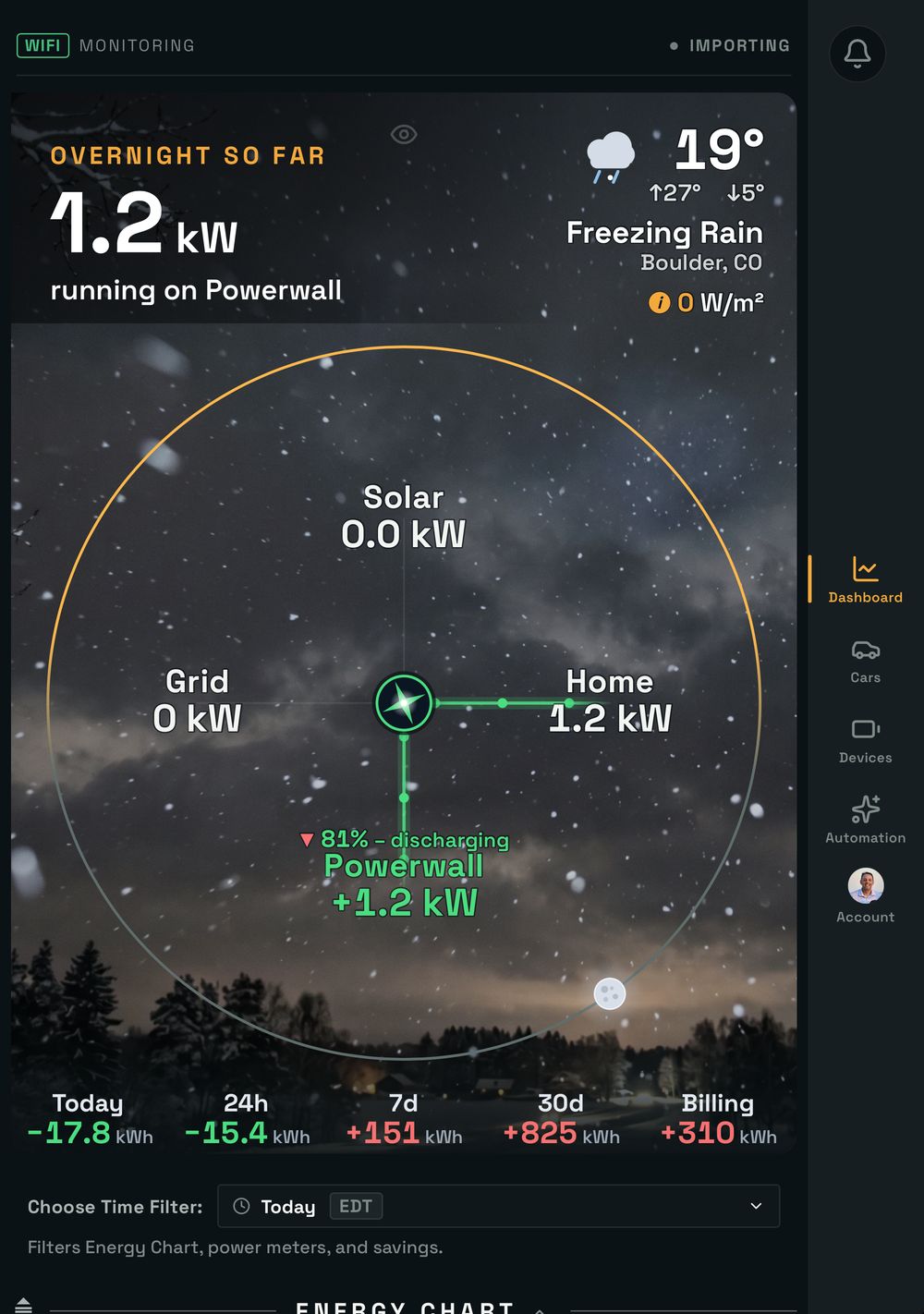
Open and upright: one wide column, side bar on the right.
Fold, unfold, keep your place
Fold or unfold in the middle of a scroll and SolDial keeps the section you were reading in view, so you never land back at the top. Full screen views such as the maximized Energy Chart stop at the bar instead of running under it, and dialogs stay clear of it too.
Android foldables, split on the real crease
Book-style Android foldables get the same idea in SolDial 1.1.2: the OPPO Find N, Samsung Galaxy Z Fold, Google Pixel Fold, OnePlus Open and the like. Android tells SolDial exactly where the crease is on each phone, so the split lands on the fold whatever the panel size. The dial fills its half, Today’s Solar Pace sits in the room underneath it on every tab, and the tabs, bell and account move into a bar on the right edge, the same bar the iPhone Duo uses. Prefer the phone’s usual header and tab bar? Settings → Display → Open Screen Navigation → Bottom keeps them over the right half.
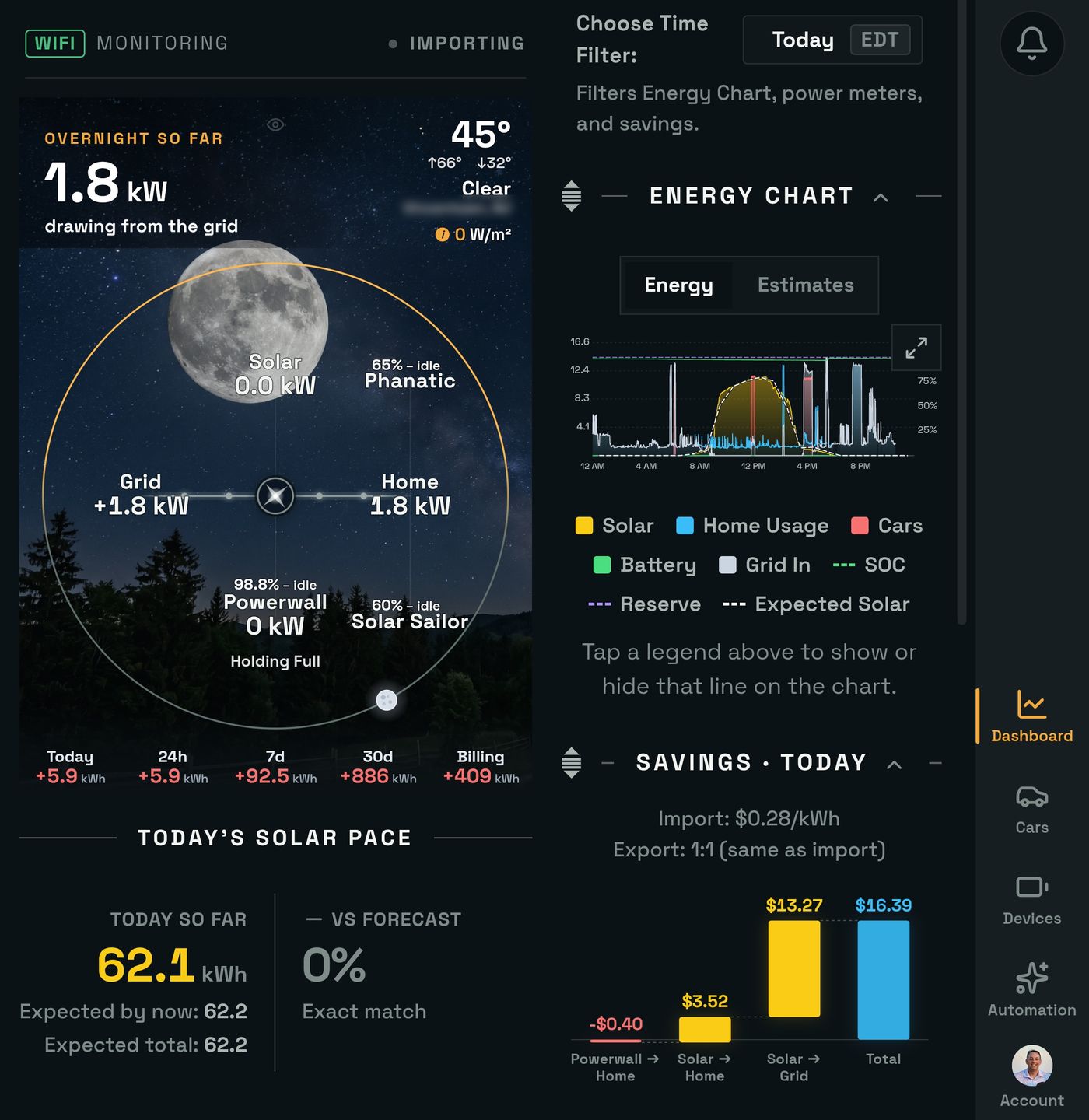
OPPO Find N5, open. Left: the side bar. Right: Open Screen Navigation set to Bottom.
A flip phone, the cover screen, split screen or a phone turned on its side keeps the regular one-column layout. Open foldables and tablets also rotate freely now instead of being held in portrait.
What about the Tesla app?
Tesla started rolling out a two-column layout for iPad, iPhone Duo and Android foldables on October 21, Powerwall homes included, and that is good news for everyone with a Powerwall. SolDial’s take is built around the fold itself: both of the Duo’s screens, the live dial on one side of the hinge and the rest of your system (cars, Wall Connectors, automations) on the other. The two get along fine on the same phone. SolDial reads your Tesla account and builds on top of the Tesla app; it doesn’t replace it.
Get it
There’s nothing to switch on. On an iPhone Duo, SolDial 1.5 or later from the App Store opens in the new layout; on an Android foldable, update to 1.1.2 from Google Play. Regular phones and the web stay exactly as they were. You’ll also find SolDial on Made for Duo, the community list of apps built for the inner display. New to SolDial? Start the free trial, connect your Tesla account, and unfold.
If you own a Duo or a foldable, I’d love to hear what you want on that second half next: support@soldial.com.