When the internet goes out, your Powerwall app shouldn't
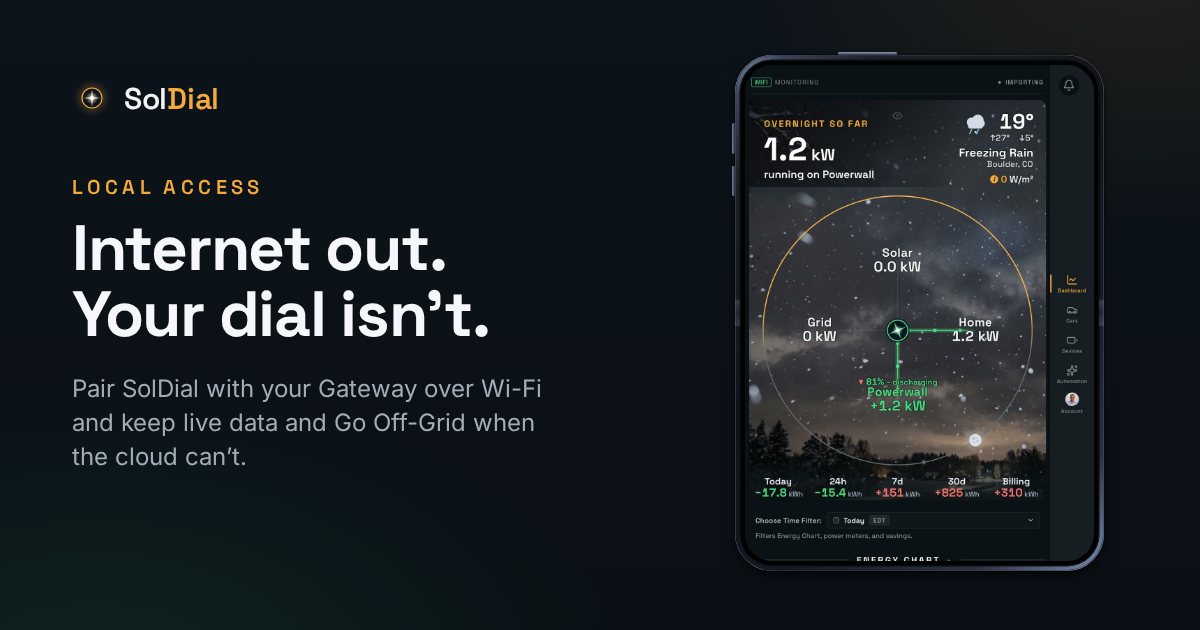
Most apps reach your battery through Tesla's cloud — which tends to vanish at the same moment as the grid. Local pairing is the other path.
Here's the uncomfortable thing about most Powerwall apps, Tesla's included: they talk to your battery through Tesla's servers. When the grid goes down, your internet often goes with it — and the app goes blank at the exact moment you want to know how many hours you have left.
The two paths to your Powerwall
Every reading has to come from somewhere. The cloud path goes phone → Tesla's servers → your Gateway, and it's what every app uses by default. It works from anywhere in the world, which is its whole point, and it depends on three things staying up: your home internet, Tesla's servers, and the link between them.
The local path goes phone → your Wi-Fi → your Gateway. Nothing leaves the house. It only works when you're home, which is exactly where you are during an outage.
What pairing gives you
SolDial can talk to your Backup Gateway directly over your home network. Pairing is passwordless: tap Begin Pairing in the app, flip the switch on the Powerwall unit itself when prompted (both Powerwall 2 and 3 have one — it's on the Powerwall, not the Gateway), and you're paired. The key is stored encrypted and used only for local reads and commands. From then on:
- Sub-minute updates instead of cloud polling — the dial moves when your house does.
- Per-Powerwall vitals — capacity, health, and charge for each pack, not just the system total.
- Per-string solar — voltage, current, and watts on every string, which is how you notice one string quietly underperforming.
- It keeps working when the internet is out. Phone on home Wi-Fi, Gateway on the same Wi-Fi, and SolDial keeps reporting while the cloud can't.
The outage view
When SolDial sees your system go off-grid, the Power Flow marks the grid with a red × and shows it at 0 kW, and the Powerwall shows a live estimate of how many hours of backup you have left at your current usage — “~9h 30m backup left.” It's your remaining usable energy divided by what the house is drawing right now, so turning off the dryer visibly buys you time, and turning on the oven visibly costs it. During a real outage that's a more useful number than a percentage.
Going off-grid on purpose
Pairing also unlocks the one command Tesla's app makes you dig for: Go Off-Grid. Island your home from the utility on demand or from an automation — test your backup before storm season, or ride out a known-dirty grid event on your own power — then reconnect seamlessly. SolDial adds a safety floor on top: if you've islanded deliberately and the battery keeps draining, SolDial reconnects you to the grid at 30% by default (ten points above the 20% floor every off-grid rule carries) and sends a critical alert, even if your own rule missed it. During a real outage it never interferes with backup; it warns instead.
What local access doesn't do
Being honest about the edges matters more here than anywhere else in the app. The local path is your phone talking to your Gateway, so it needs your phone on your home Wi-Fi. SolDial's automations run in the cloud — they reach your system through Tesla, so while your internet is down they can't act; they resume with the next check once the connection returns. Your Powerwall's own backup behavior doesn't need any app at all; it switches over in milliseconds whether or not you're watching. What local access gives you is the watching.
Requirements
Local pairing is part of SolDial Pro and needs the phone app (it's a native capability) on the same network as your Gateway. Cloud data through Tesla's API works everywhere and for everyone; the local path is the fast, outage-proof layer on top.