SolDial on the web: your Powerwall on a big screen
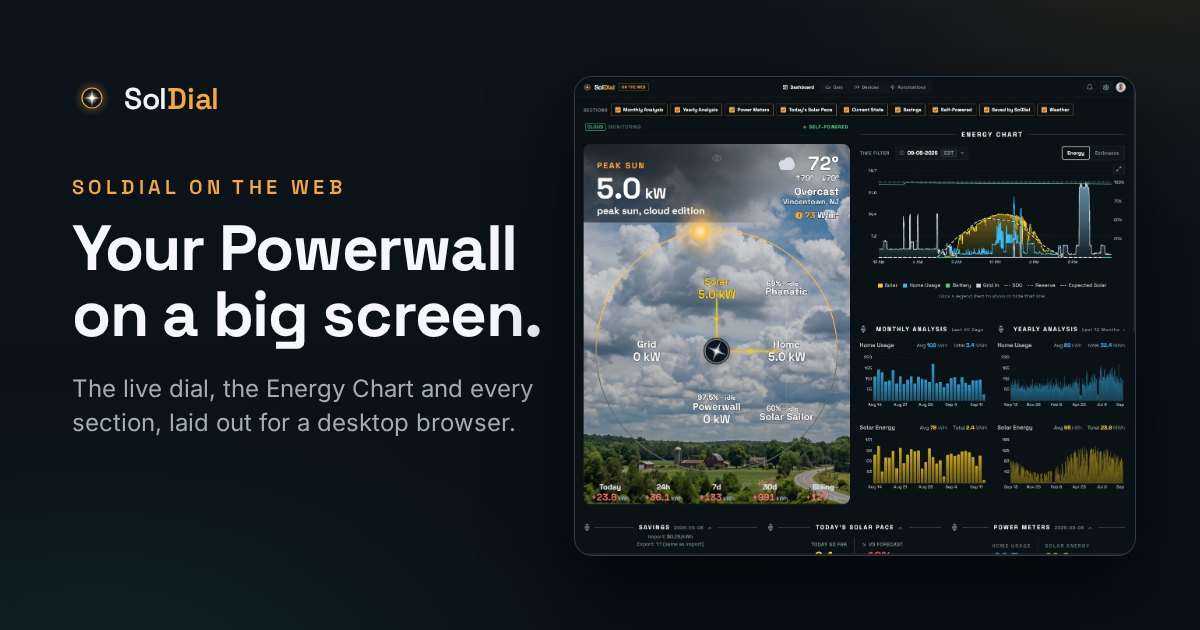
A desktop view of your Tesla energy system, built for the screen it’s on — and why the app is still the app.
SolDial has always been a phone app, and it stays one. But a Powerwall dashboard is the kind of thing you leave open on a second monitor while you work, and a phone layout stretched across 27 inches is nobody's idea of that. So there's now a web view, built for the screen it's on.
Open your dashboard on the web →
Included with SolDial Pro. Best on a computer.
What it looks like
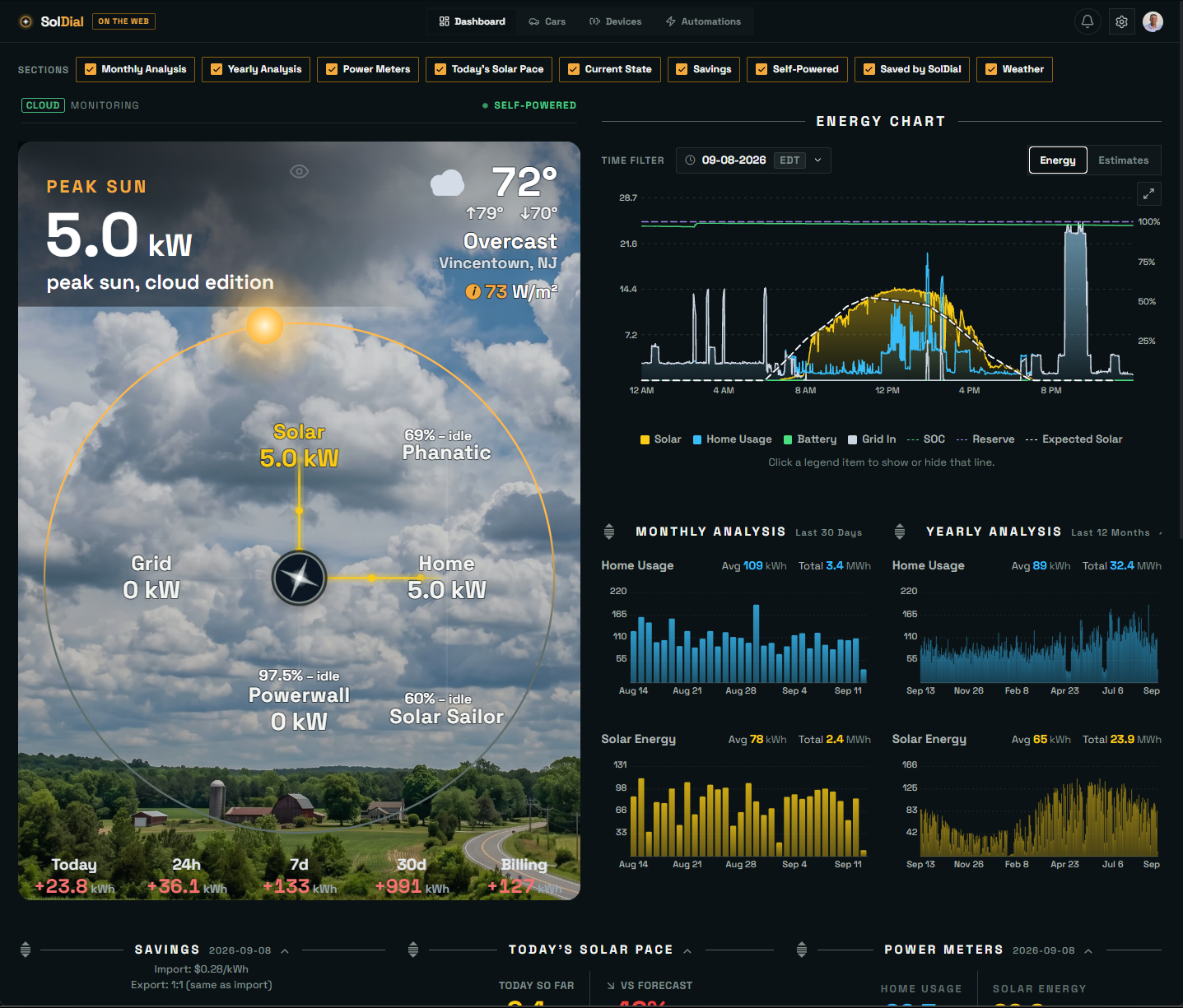
Open app.soldial.com on a computer and the live power-flow dial takes the left half at the full height of your window, under your actual sky, with the Energy Chart beside it. Monthly and Yearly Analysis sit under the chart, and the rest of the cards fill a grid you can drag into whatever order suits you. Click the chart's expand button and it fills the screen.
Everything, not a summary
Cars, Devices and Automations are the real thing, not read-only tiles. Set a charge limit, move the backup reserve, turn Storm Watch on, let Autopilot re-plan, write a new automation rule in plain English. It's the same software as the phone, arranged differently.
It is not a replacement for the app
This is the part worth being clear about. Connecting Tesla, pairing your Powerwall for local access, widgets, the watch apps and notifications all stay in the phone app, and SolDial Pro is bought there. The web view is somewhere to look at your system on a bigger screen, not a second front door. On a phone browser it points you back to the app.
Your layout stays yours
Uncheck any section you don't care about and it's gone from the web, without touching your phone dashboard. Each surface remembers its own arrangement.
Install it like a real app
This is the part people don't expect. Open app.soldial.com in Chrome or Edge and an install icon appears at the right-hand end of the address bar. Click it, confirm, and SolDial installs onto your PC.
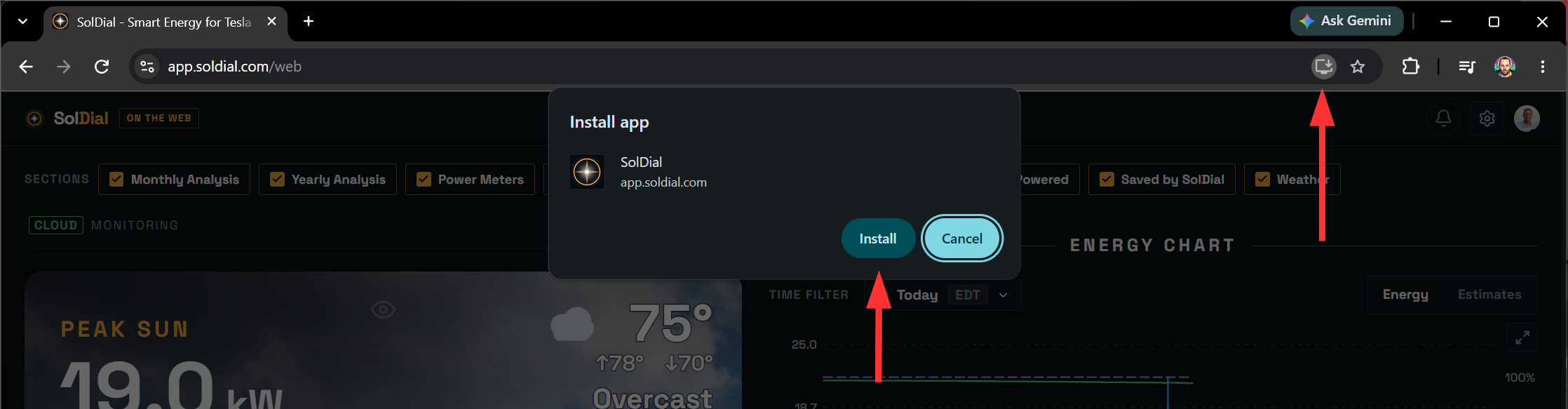
The install icon sits at the end of the address bar in Chrome and Edge.
From then on it behaves like any other program. It gets its own window with no tabs or address bar, an icon you can pin to your taskbar, and it opens straight to your dashboard instead of a browser home page. On a Mac it lands in your Dock the same way, either from Chrome's install icon or Safari's Share menu under Add to Dock.
Nothing about it is a separate download. It's the same web dashboard in a tidier frame, so it stays up to date on its own and signs in with the session you already have.
Try it
SolDial on the web is live for every Pro subscriber right now. Open app.soldial.com on a computer and sign in with your usual account.
Open your dashboard on the web →
Don’t have SolDial yet? App Store · Google Play