Energy Autopilot Beta
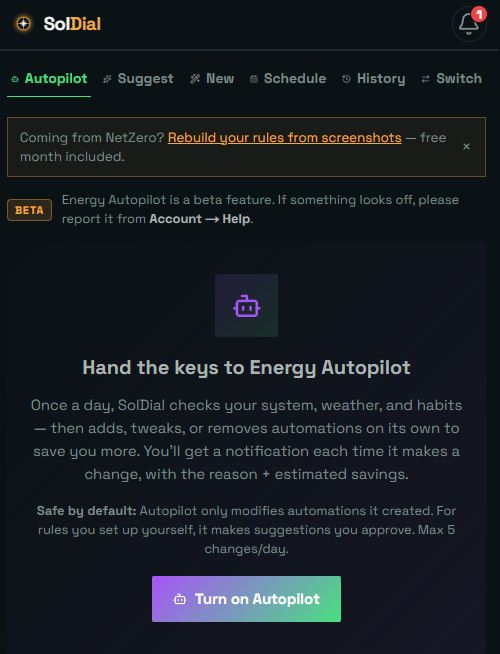
Autopilot is the difference between an app that shows you your energy and one that runs it. Turn it on and it builds — and keeps tuning — a complete strategy for your system.
Built around your goal
Before anything else, Autopilot reads your Energy Goal — savings, energy independence, backup readiness, or balanced — and builds the whole plan around it, respecting any minimum backup reserve you’ve set.
What it considers
Autopilot reads your net-metering scheme, your rate plan (including weekday/weekend and seasonal TOU windows), your hardware, and your actual charging patterns — then builds automations tailored to all of it.
What it sets up
- EV charging scheduled into your cheapest / credit windows, with separate weekday and weekend rules when your plan differs.
- The right Powerwall operational mode and backup reserve for your net metering.
- Storm and low-solar preparation.
- Useful notifications.
Weather: two signals, shaped by your goal
Autopilot treats weather as two different things. Rain, snow and cloud mean less solar tomorrow — a generation question. Thunderstorms, damaging wind, ice, heavy snow and official warnings mean the power might go out — a backup question. Your goal decides the response to the first (a savings plan on time-of-use may top up at off-peak the night before; an independence plan preserves what’s stored and avoids the grid; a backup plan enters the day with margin). For the second, every goal prepares — the goal only decides how far and at what cost. Storm prep raises the reserve the evening before a day with real storm risk, when the day’s solar has already filled the battery, and your daily reset skips the storm day so the reserve holds through it. If you use Tesla’s Storm Watch, Autopilot defers to it while it’s active and adds what Storm Watch doesn’t do: the evening-before raise on a forecast, your car’s charge limit, and exports.
Keeping the Powerwall full
If you hold your Powerwall at a high backup reserve for maximum backup, it helps to know how Tesla actually behaves: a full Powerwall only refills from solar unless your own Grid Charging setting is turned on. With Grid Charging off, it’s normal for the charge to drift down a few percent overnight (from the battery’s own standby draw) and recover the next sunny day. To pin it at 100% around the clock, turn on Grid Charging in the Tesla app — if your utility allows it. Autopilot understands this: it won’t promise a rock-steady 100% it can’t deliver, and it tells you when the small overnight dip is expected. See Export & grid-charging permissions.
It re-tunes itself
Autopilot runs on a schedule. As the season changes, your behavior shifts, or you update your settings, it adjusts — adding what's now worthwhile and leaving your hand-built rules alone.
Within your permission
Autopilot only builds strategies around exporting or grid-charging if you've said you're allowed to — see Export & grid-charging permissions. Say yes and it may manage those settings for you when it actually pays — say no and it never touches them. Protective moves (turning grid charging off, or stopping exports) never need a permission.