Intelligent Octopus Go smart-charge slots
Octopus gives Intelligent Octopus Go cars extra cheap half-hours outside the fixed 23:30 to 05:30 window. Link your Octopus account and SolDial can see them, so the Powerwall stops feeding the car in the middle of the day.
Why a daytime slot is different
On Intelligent Octopus Go the whole home is billed at the off-peak rate between 23:30 and 05:30 every night. On top of that, Octopus schedules your car extra smart-charge slots during the day when it suits the grid, and while the car is charging in one of those slots the whole home is billed at the off-peak rate too, for that half hour.
Your Powerwall cannot see those slots. In Savings mode it sees a big load appear mid-afternoon and does what it was told to do: it discharges to cover it. That empties the battery into a car that was about to charge at the off-peak rate anyway, and the house then buys back the same energy later at the day rate. The fix is simple once SolDial knows a slot is running: hold the Powerwall (or fill it at the cheap rate) and let the grid carry the house until the slot ends.
Linking your Octopus account
Open Settings → Utility Rates and find Octopus smart charging under your rate plan. Paste the API key from your Octopus account page (Personal details → API access; the card has a link). The account number is optional, the key finds it. SolDial checks the key with Octopus straight away and the card turns to Linked, showing the account, the car or charger Octopus schedules, the tariff Octopus has you on, and the upcoming slots.
The link is read only: SolDial never changes anything on your Octopus account, and it never sees your Octopus password. The key is stored encrypted, the same way your Tesla tokens are, and Unlink deletes it. SolDial reads your planned slots every few minutes, so a slot Octopus adds or drops at short notice is picked up within a few minutes.
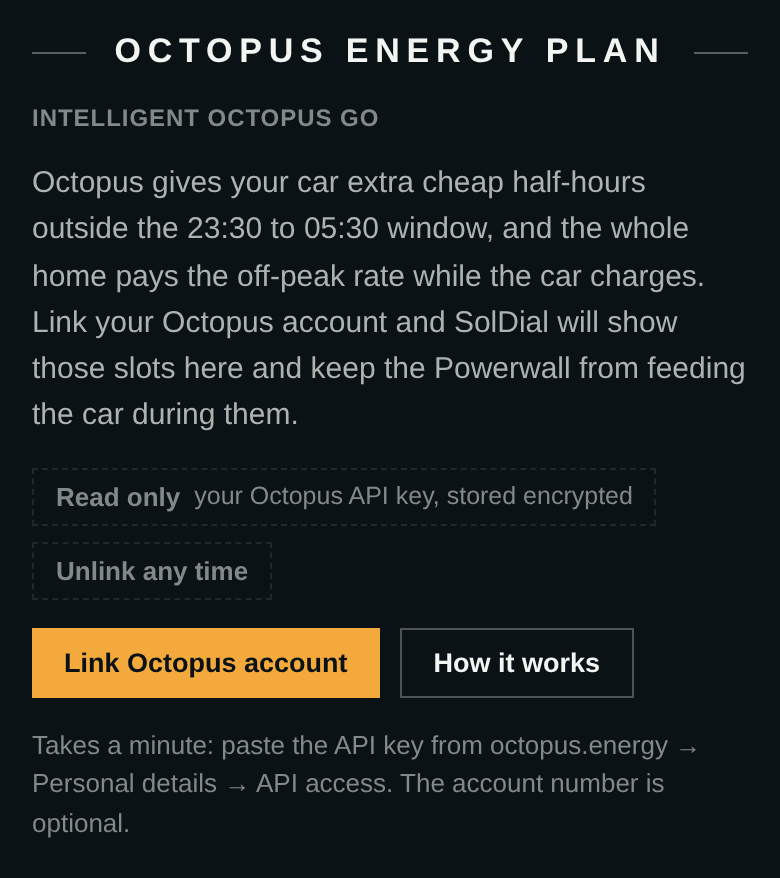
Once your rate plan is Intelligent Octopus Go the dashboard offers the link. Tap Link Octopus account to open the Settings card.
What happens during a slot
Tap Add the hold rules on the card and SolDial creates two rules in an Octopus smart charging group under Automations:
- Octopus slot: hold the Powerwall. When a slot starts, the backup reserve is raised to the battery’s current charge, so it stops discharging. The house and the car run on the grid at the off-peak rate.
- Octopus slot over: reserve back to normal. When the slot ends, the reserve goes back to your usual value and the Powerwall carries the house again. This also fires if Octopus drops a planned slot early because the car left.
The release only lowers the reserve while the hold is still in place; a reserve you changed by hand in between is left alone. Slots that fall inside the 23:30 to 05:30 window are ignored, since the home is already off-peak then, so your overnight charging rules keep working exactly as before. Boost charges you start yourself are not slots (they are billed at the day rate) and do not trigger anything.
If you run Energy Autopilot, it sees the link and builds this pair for you on its next run (or straight away if you tap Run now or Reset). On a Savings goal where grid charging is already on, Autopilot may choose to top up the Powerwall from the grid during a slot instead of only holding it, since the whole home is paying the off-peak rate for that half hour. Autopilot never duplicates slot rules you built yourself.
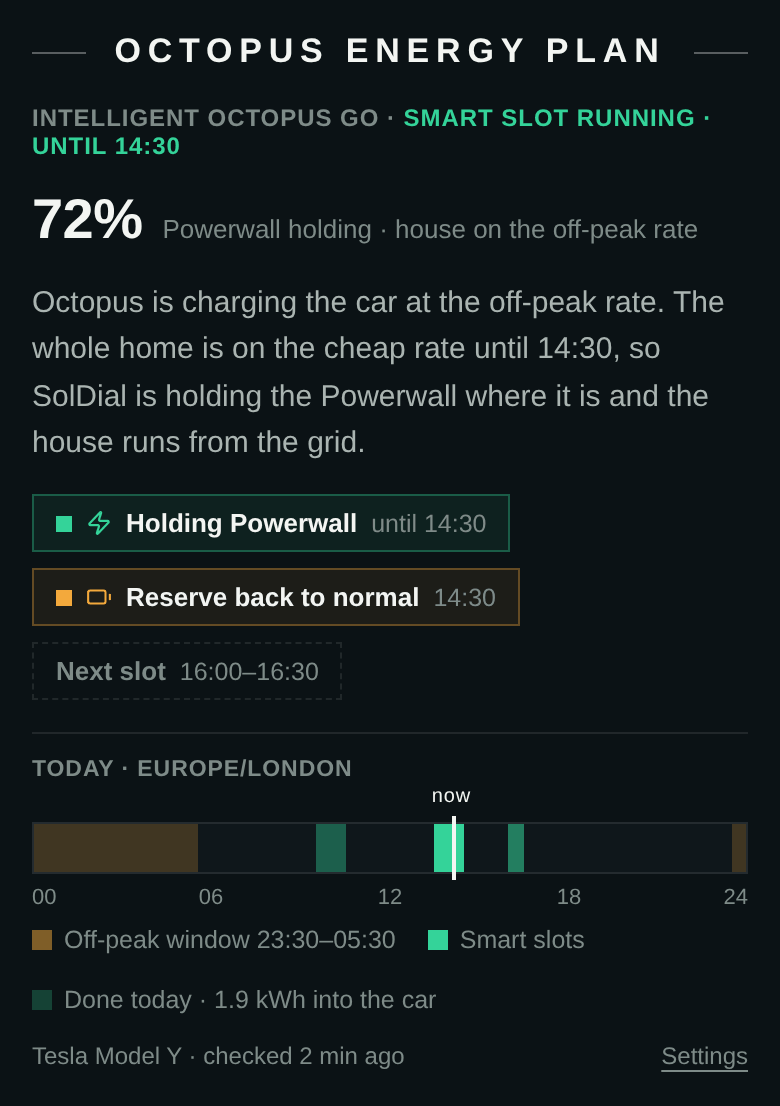
A slot in progress. The Powerwall is held at 72% while the car charges at the off-peak rate; at 14:30 the reserve goes back to normal.
On the dashboard
Once your rate plan is Intelligent Octopus Go, the dashboard gains an Octopus Energy Plan section in the same place Agile homes see their price card. Before you link it explains the slots and offers the link. After you link it shows what is happening now: while a slot is running it leads with the live Powerwall percentage and says the home is on the off-peak rate until the slot ends; between slots it counts down to the next one and lists the rest of today’s; when nothing is planned it says so and shows yesterday’s tally. A strip along the bottom paints the day: the fixed 23:30 to 05:30 window in gold, smart slots in green, and a marker for now. If the hold rules are not set up yet the same one-tap Add the hold rules button sits right there.
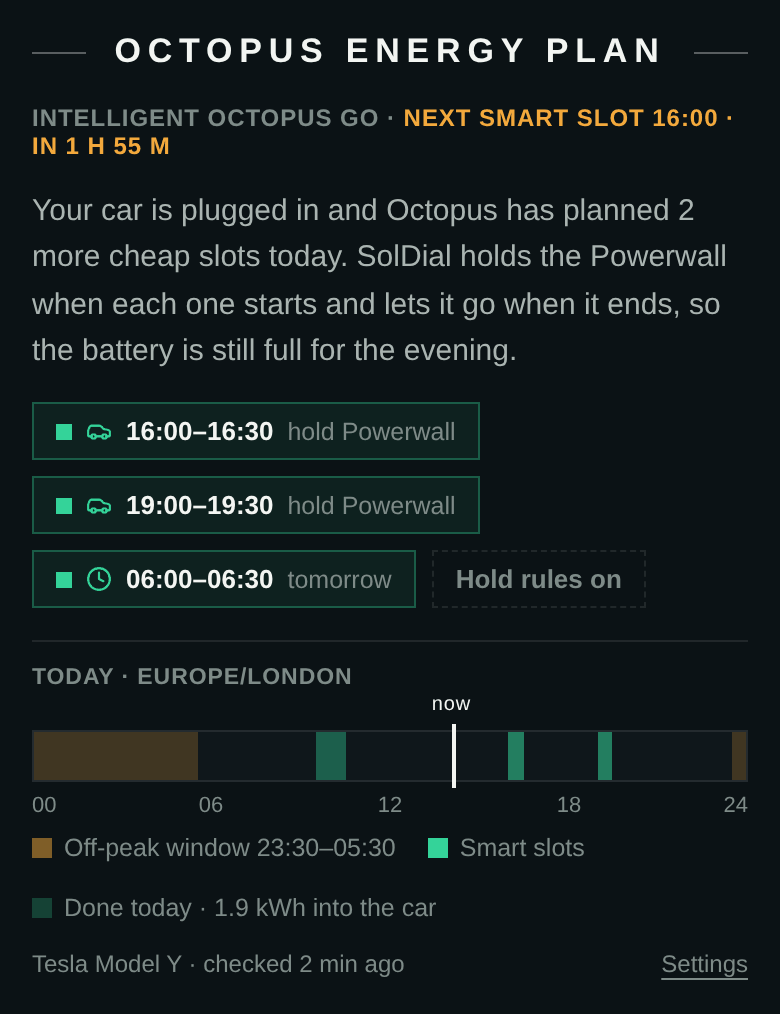
Between slots: the countdown to the next one and the rest of today’s.
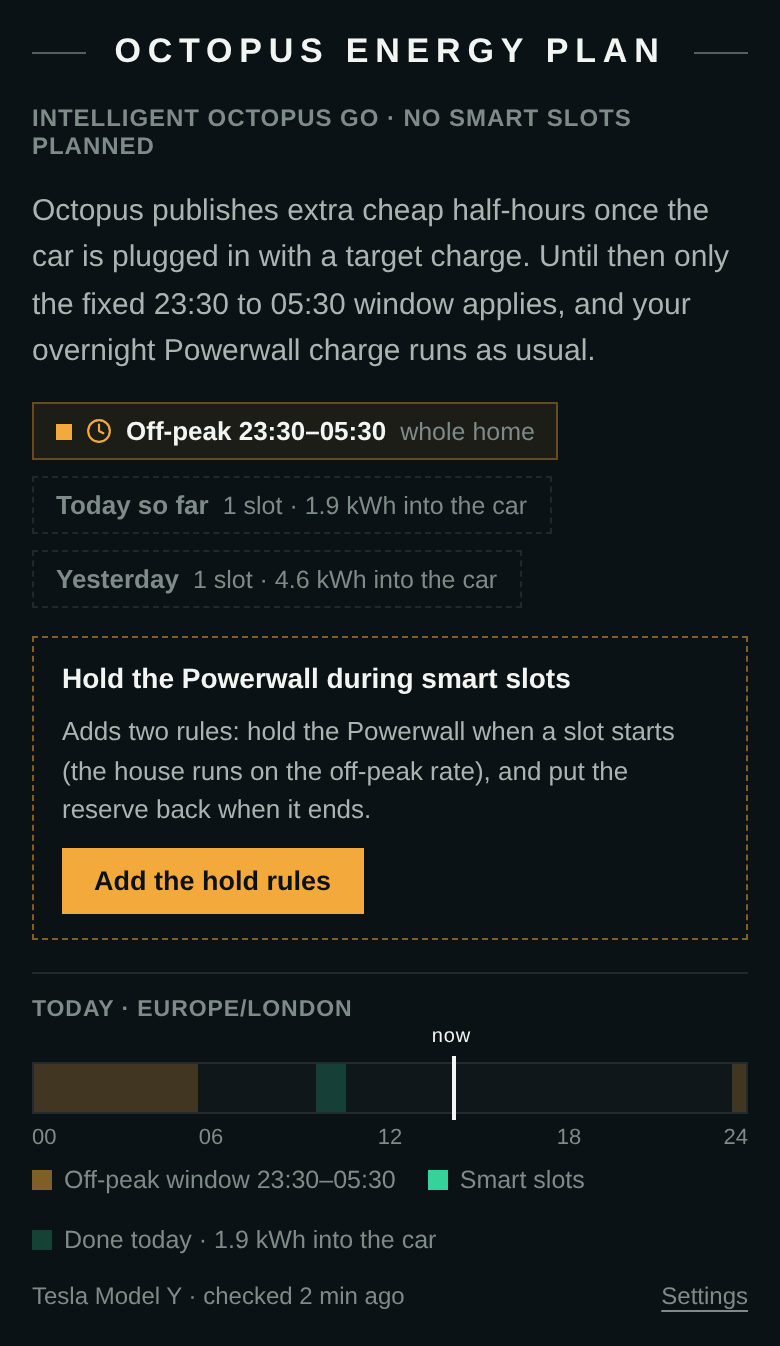
Nothing planned yet, and the hold rules not set up: the one-tap offer sits on the card.
Building your own slot rules
“An Octopus smart-charge slot” is a choice in the rule builder’s WHEN picker once your account is linked, with starts and ends, and inside a combined rule it reads as a condition (“while a slot is running”). Plain-words rules understand it too: “when an Octopus slot starts, switch to Backup mode” compiles to the right trigger. If you built a home-load threshold rule to guess at slots before linking (home rises above 6 kW, say), the setup check under Automations will point out that it is now redundant; the slot trigger is exact where a load threshold also trips on an electric shower.
Which cars and chargers
Anything Octopus schedules works, because the slots come from Octopus rather than from the car: Tesla, BMW, Polestar, Ohme, Andersen and the rest. A Tesla or an OCPP charger linked to SolDial is not required. One note for OCPP owners: a charger connected to SolDial’s charger service cannot also be Octopus’s IOG device, since a charger talks to one backend at a time, so on those homes the car itself needs to be the IOG device.
Good to know
Octopus publishes slots once the car is plugged in with a target set, and clears them when it leaves, so an empty “Upcoming slots” list on the card is normal when the car is out. The card’s tariff line comes from Octopus itself: if it shows a tariff other than Intelligent Octopus Go, no slots will arrive until the tariff changes. The 6 hours a day of smart charging Octopus allows per car is Octopus’s own rule; SolDial simply follows whatever slots Octopus publishes.